Product Creation Settings.
What is "Block Product Creation"?
By default, Qstomizer now uses a streamlined system to handle custom pricing and volume discounts without cluttering your store.
The Old Way:
Previously, whenever a customer applied a discount or added custom costs (for extra images, text, or multiple sides), the app had to create a brand-new "temporary" product in your store to reflect the final price. This caused several issues:
- - Inventory Mismatch: Since a new product was purchased, the original product’s stock wouldn't update.
- - Cluttered Catalog: Your store backend would fill up with hundreds of temporary products that needed manual deletion.
The New Way (Recommended):
We have developed a "Bundle" solution. Instead of creating a new product for every single order, Qstomizer now uses a single, hidden system product that attaches to the original item as a bundle.
- - Accurate Inventory: Your original product's stock remains perfectly synced.
- - Clean Store: No more temporary products in your catalog.
- - Invisible to Customers: This hidden product is not published and will never be seen by your visitors.
How to configure it:
In the Settings > Others tab, you will find the "Block Product Creation" switch:
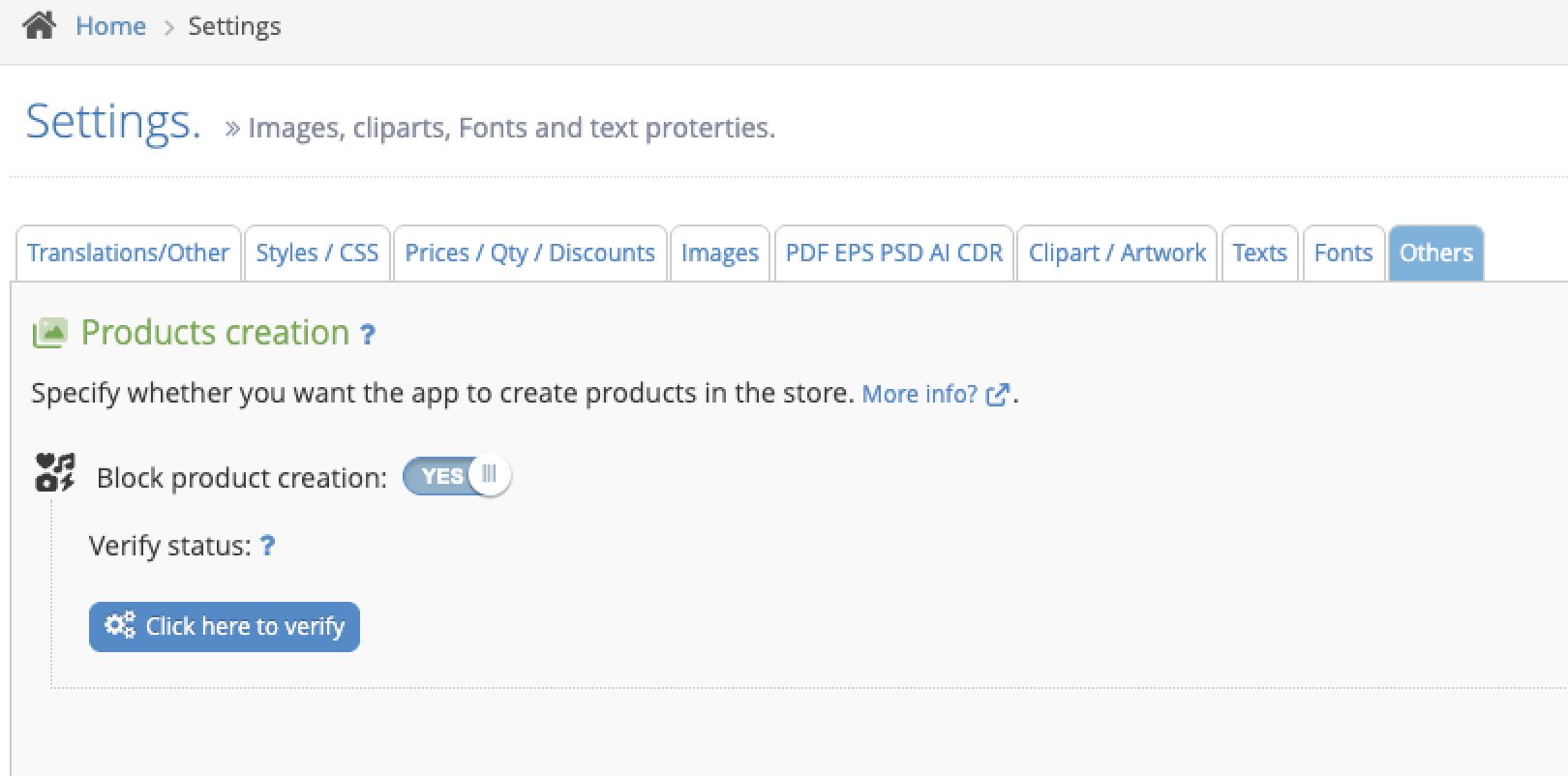
- - SET TO YES (Default): The app will NOT create new products for every customization. It will use the new efficient bundle system.
- - Click here to verify: Use this button to perform an internal health check. The app will verify if the hidden bundle product exists and is configured correctly. If it’s missing, the system will automatically recreate it for you.
⚠️ IMPORTANT:
Please do not delete the hidden product created by Qstomizer in your Shopify/Store admin. Doing so will cause pricing errors. If it is deleted by mistake, simply return here and click "Click here to verify" to restore it instantly.
Shipping Rates with the Bundle System
When the bundle system is enabled, all customized products in your store share a single shipping policy. This is a consequence of how Shopify processes the cart at checkout.
Why this happens:
When a customer adds a customized product to the cart, Qstomizer attaches the hidden bundle product to it. At checkout, Shopify only sees the bundle product — not the original variant the customer chose (color, size, etc.).
As a result, any shipping rule based on specific variants (for example, "express shipping for white and black t-shirts only") cannot be evaluated, because Shopify cannot distinguish between variants once the bundle has replaced them.
In practice this means:
- - Bundle included in your express shipping profile: Express shipping will be offered for all customized orders, regardless of the variant chosen.
- - Bundle excluded from your express shipping profile: Express shipping will not be offered for any customized order.
Recommended setups:
Depending on your business model, choose one of the following approaches:
Option 1 — Parallel products (recommended):
- Keep your customizable products with the bundle and apply a single, consistent lead time (for example, "Ships in 5-7 days").
- Create separate, non-customizable products for the variants you keep in stock and want to ship fast (for example, plain white and black t-shirts).
- Apply your express shipping profile to those parallel products. Customers who want fast delivery buy the standard items; customers who want personalization accept the longer lead time.
Option 2 — Uniform lead time:
- Apply the same shipping policy (and lead time) to every customized order, regardless of the variant.
- Communicate any per-variant timing differences clearly in the product description (for example, "Color X: made on demand, +3-5 days"). Customers choose with full information.
⚠️ IMPORTANT:
This limitation is inherent to how cart bundles work in Shopify and applies to any app that uses the bundle pattern, not only Qstomizer. If your business strictly requires variant-level shipping rules on customized products, the parallel products approach is the cleanest solution.
